Security
Account Security
Protect your Cafora Host account with strong security practices.
Illustrated procedure
Screenshots show the current application with demonstration data. Use your own service details; click an image to inspect it at full size.
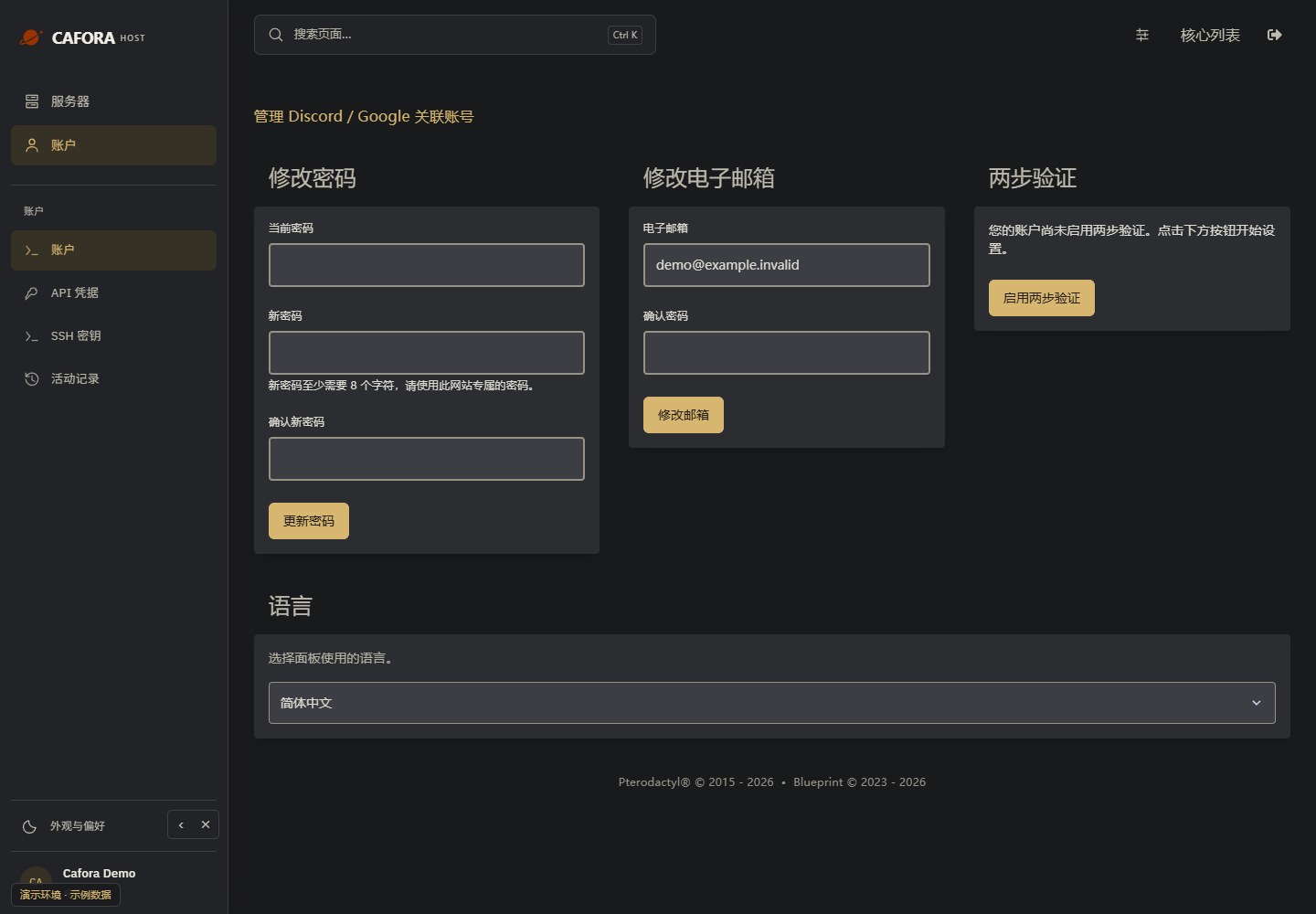
Open account security
Open Account in Panel. Password, email and Two-Step Verification settings belong to this Panel account, not automatically to your Store or DirectAdmin account.
Grant only the required permissions
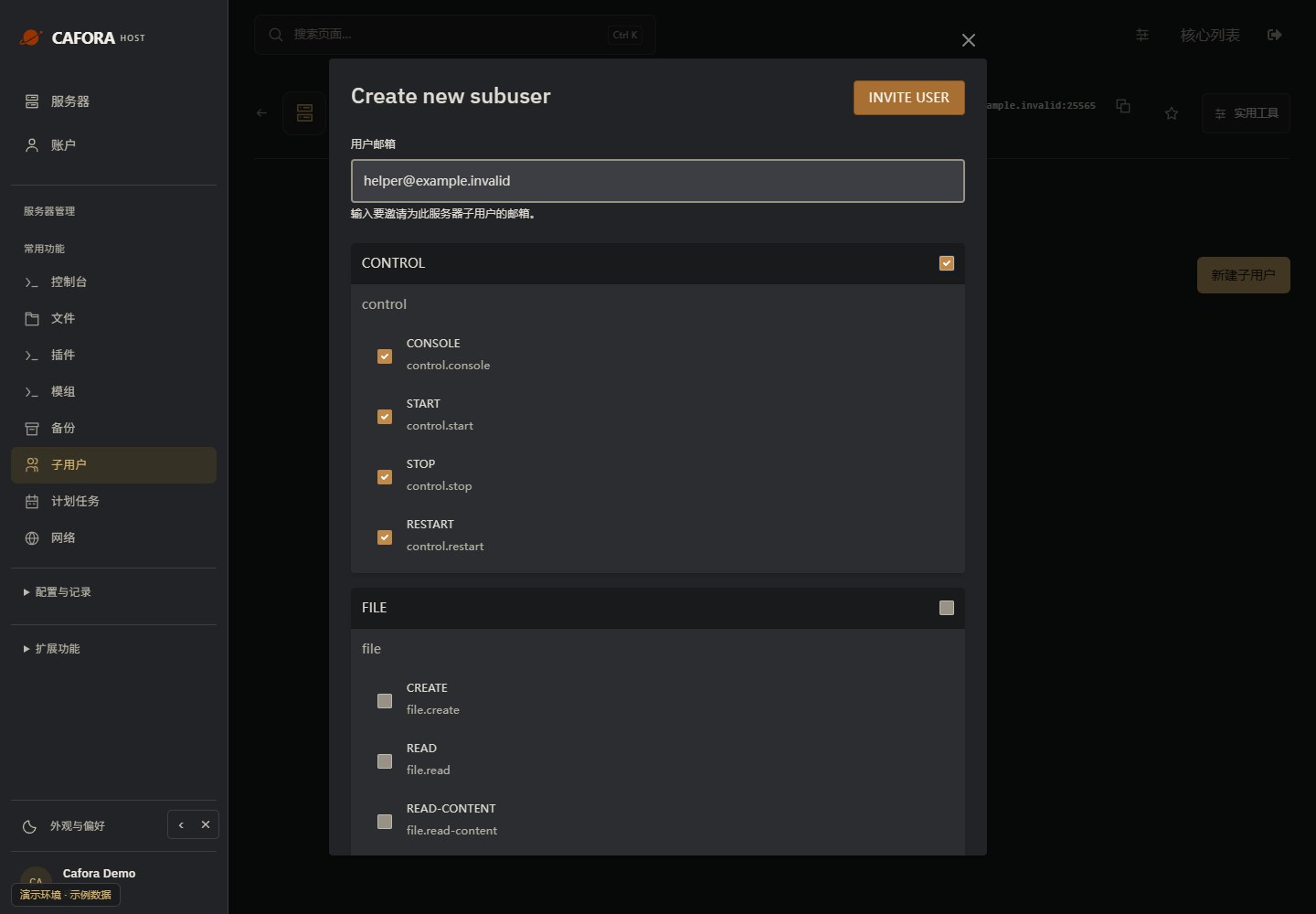
Review each permission group before sending the invitation. File deletion, restoration, reinstallation and managing users need particular care. Remove access when no longer needed.
Account Security Recommendations
- Use a strong password — At least 12 characters with mixed case, numbers, and symbols
- Enable two-factor authentication (2FA) — Adds a second layer of protection
- Do not share credentials — Never share your password or API keys
- Monitor account activity — Check for unrecognized logins or changes
- Log out from shared devices — Always log out from public or shared computers