Server Security
Best practices for securing your Cafora Minecraft server.
Illustrated procedure
Screenshots show the current application with demonstration data. Use your own service details; click an image to inspect it at full size.
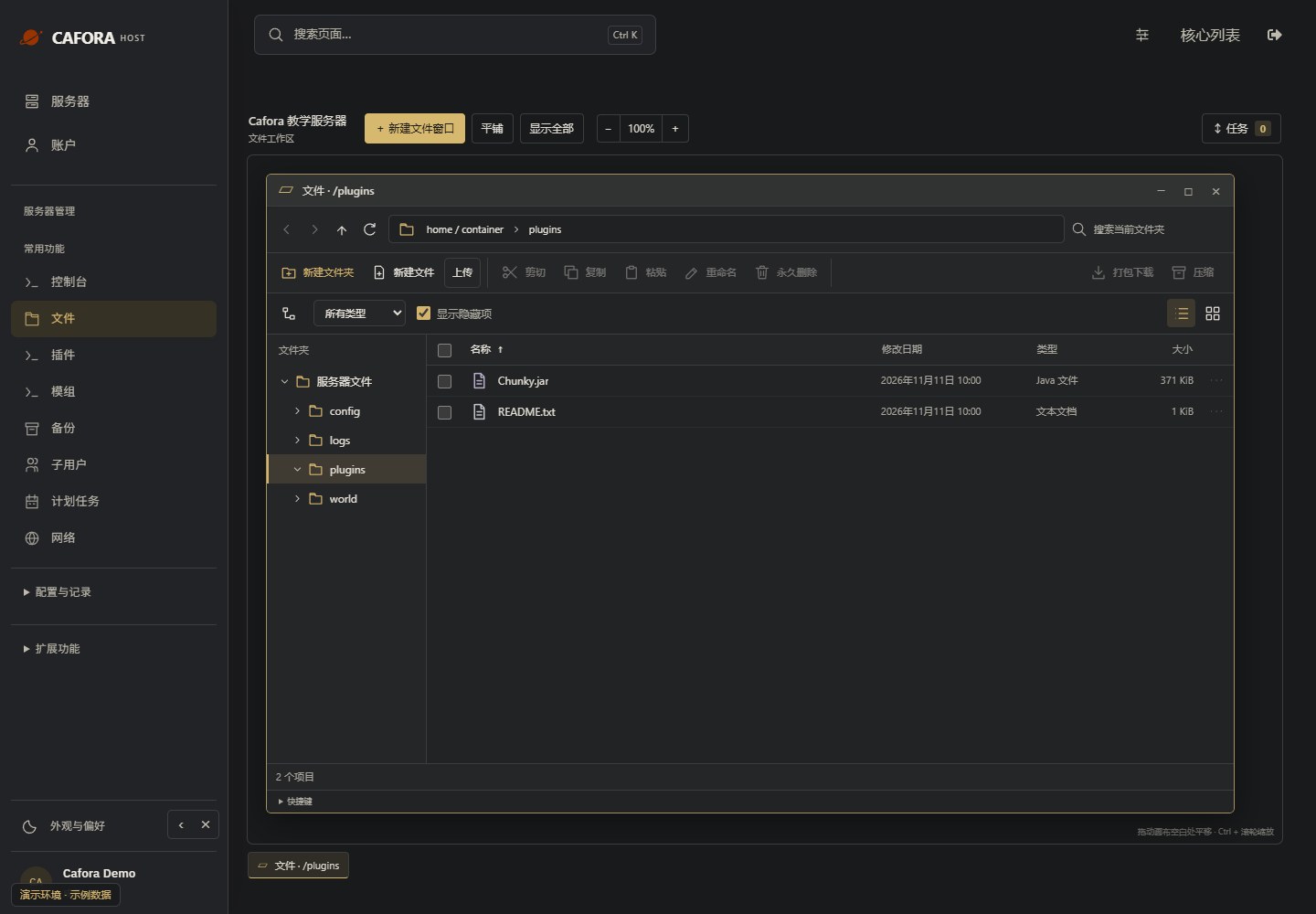
Check the plugin directory
In Files, double-click plugins. Compare JAR names and configuration folders with the core and dependency requirements. Do not delete plugin data to silence an error.
Check the console
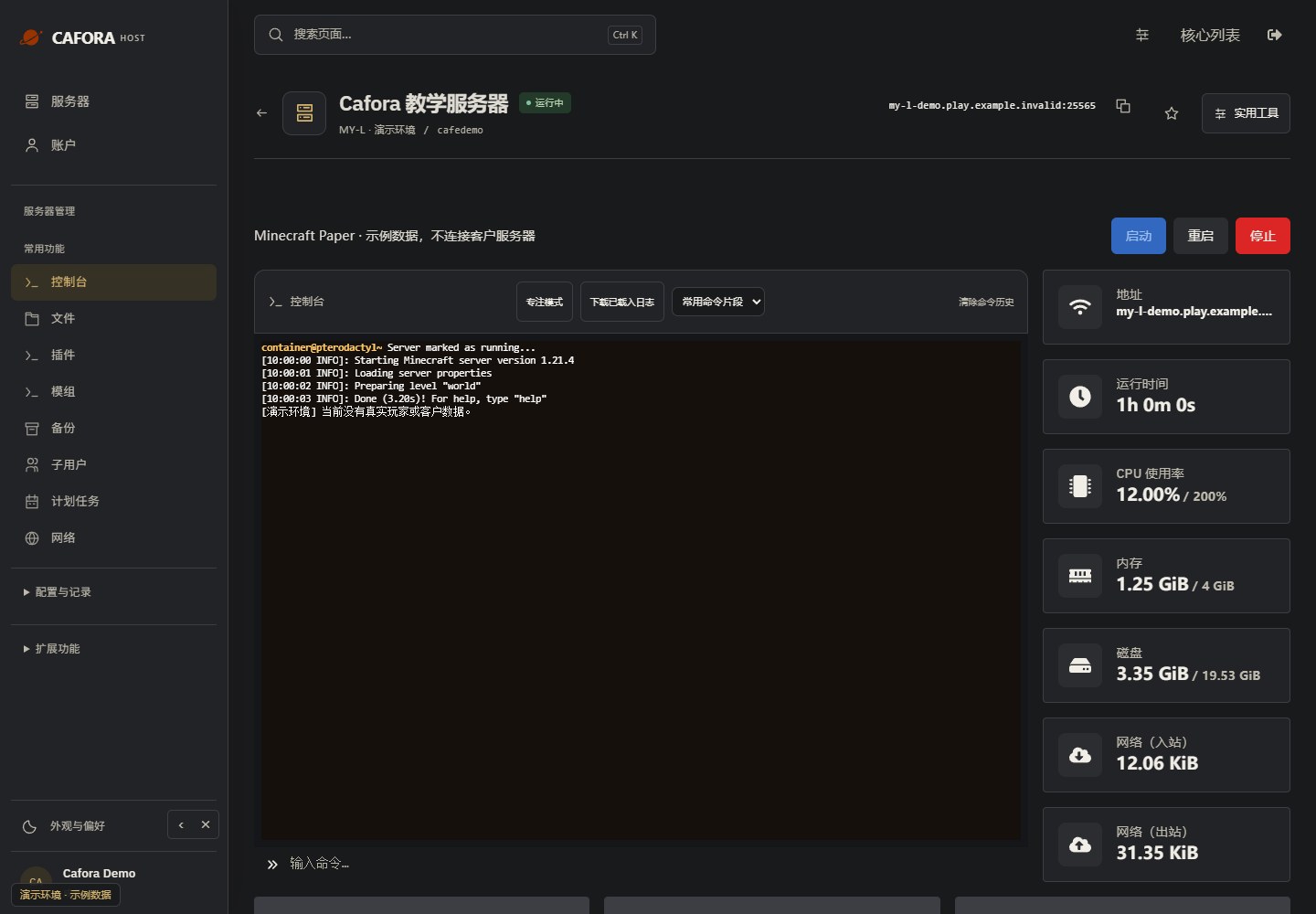
Open Essentials → Console. Check the current state, startup output and errors before making changes. Wait for Done or your software’s ready message before joining.
Essential Security Measures
Keep Software Updated
Always run the latest stable version of your server software and plugins.
Use a Whitelist
Enable the whitelist for private or semi-private servers.
Limit Plugin Sources
Only download plugins from trusted sources like SpigotMC, PaperMC Hangar, or Modrinth.
Regular Backups
Maintain regular backups to recover from security incidents.
Monitor Console
Watch for suspicious commands or unusual activity in the server console.